Free Doesn't Mean Neutral: A 20-Minute Firmware Check Before Your Next Paid Shoot

Photo: Tobias, CC BY-SA 3.0, via Wikimedia Commons
Firmware updates arrive like free samples at a grocery store. You did not ask for the tiny cup of soup, but it is free, so you take it. Sometimes it is great. Sometimes it changes the seasoning on everything you cook for the next month. Camera firmware works the same way. The changelog says 'improved autofocus' or 'enhanced color reproduction,' and you install it on a Tuesday. By Friday, your paid client is looking at skin tones that do not match the LUT you built last season.
I ran a before-and-after audit on three sub-$1,500 bodies I keep around for indie work: a Fujifilm X-T4, a Panasonic Lumix G9, and a Sony a6400. None of these updates turned a camera into a different product. That is not the point. The point is that small shifts in noise reduction, color response, HDMI output, and autofocus behavior are real, measurable, and easy to miss when you are rushing to a call time. This is not a scare story. It is a pre-shoot checklist.
The bench: one lens, one gray card, zero vibes
The test does not need a lab. It needs repeatability. I locked each camera on a tripod, set manual white balance from a gray card, and shot the same scene at the same exposure before and after the update. The scene had a color chart, a friend with medium-brown skin, a black fleece, a white wall, and a cheap LED panel. That mix matters. A chart catches broad shifts. A face catches the shifts that actually ruin a shot.
I recorded three things for each body: a 4K clip at base ISO, a high-ISO clip at 3200, and a short HDMI capture to a budget recorder. Then I repeated a simple autofocus test: subject walks toward camera, turns away, walks back. No cinematic genius required. Just enough movement to see whether the camera hunts differently, racks faster, or starts breathing on a locked-off face.
The whole setup took about 20 minutes per camera once the tripod was level. That is less time than a coffee run and a parking ticket. It is also the cheapest insurance you can buy for a paid shoot.
What actually changed
On one body, the high-ISO files looked cleaner after the update. That sounds like good news, and maybe it is. But clean usually means noise reduction is working harder. In the shadows, fine texture in the fleece went soft. In a dark indie scene, that can read as plastic skin and mushy fabric. If your look depends on grain, a silent noise-reduction bump is not neutral. It is a creative decision the camera made for you.
On another body, the color response moved just enough to matter. The gray card still matched, but the skin tones drifted a touch warmer and the reds got pushier. Nothing dramatic. Nothing you would notice on the back of the camera in daylight. But when I dropped the before and after clips into Resolve and applied the same LUT, the after clip needed a different hue trim. If you grade by eye on set and use a show LUT in post, that drift can turn into a 20-minute fix on every setup.
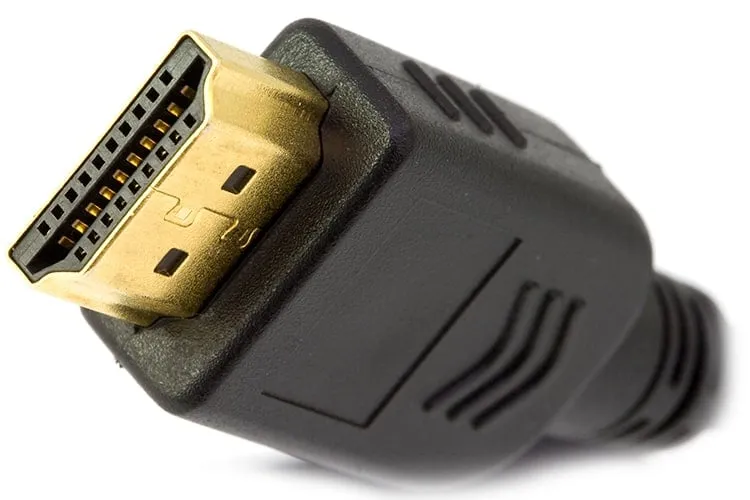
HDMI output was the sneakiest change. One camera kept the same resolution and frame rate but altered how it flagged levels to the recorder. The image looked fine on the monitor. The recorded file told a different story, with highlights clipping earlier than before. That is the kind of thing you discover in the edit, not on the day. If you shoot with an external recorder, test the full chain, not just the card file.
Autofocus behavior changed too, though not in a way the changelog would ever describe. One body became quicker to acquire a face and quicker to leave it. For a solo operator shooting a talking-head interview, that can be useful. For a two-person scene where the camera should stay on the person speaking, it can be a nuisance. 'Improved' is not a direction. It is a marketing word.
The 20-minute audit
Here is the version I run before trusting a free update on a job.
- Save one short clip from each camera before installing the update. Use the lens and exposure you plan to use on the shoot.
- Put a person in frame, not just a chart. Skin is the test that matters most.
- Record a high-ISO clip at the ISO you actually use, not the one that flatters the sensor.
- Capture 30 seconds through your real HDMI recorder if you use one. Check levels in post, not on the monitor.
- Run the walk-toward-camera autofocus test. Watch for hunting, speed changes, and whether the camera prefers faces or backgrounds.
- Install the update, then repeat the exact same clips with the exact same settings.
- Compare in your editor at 100 percent, with the same LUT and the same grade. Do not compare on the camera screen.
If nothing moved, great. You bought yourself a little peace of mind for the price of a memory card dump. If something did move, you can adjust your LUT, your noise settings, or your recorder before the client is on set.
When to hit install, and when to wait
I am not anti-firmware. Updates fix real bugs, add lens support, and sometimes improve stability in ways that never make the changelog. If a body is freezing during long takes or dropping HDMI handshakes, installing the update is a sensible move. But I would not install a fresh firmware the night before a wedding, a commercial, or a one-take short with a rented lens.
Do it on a day off. Test it on your own time. Keep the old firmware notes and, if the camera allows rollback, know how to do it before you need it. Not every manufacturer makes that easy, which is another reason to audit first and update second.
The takeaway
A free update is still a variable. It can change the look of your footage without changing a single menu setting you can see. For indie filmmakers, the risk is not that the camera breaks. The risk is that it quietly becomes a slightly different camera in the middle of a paid job. Twenty minutes with a gray card, a face, and a recorder will tell you more than any release notes. Treat firmware like a new lens: test it before you trust it with someone else's money.