Watts, Not VA: Three $120 UPS Units Tested Against a Real Resolve Export
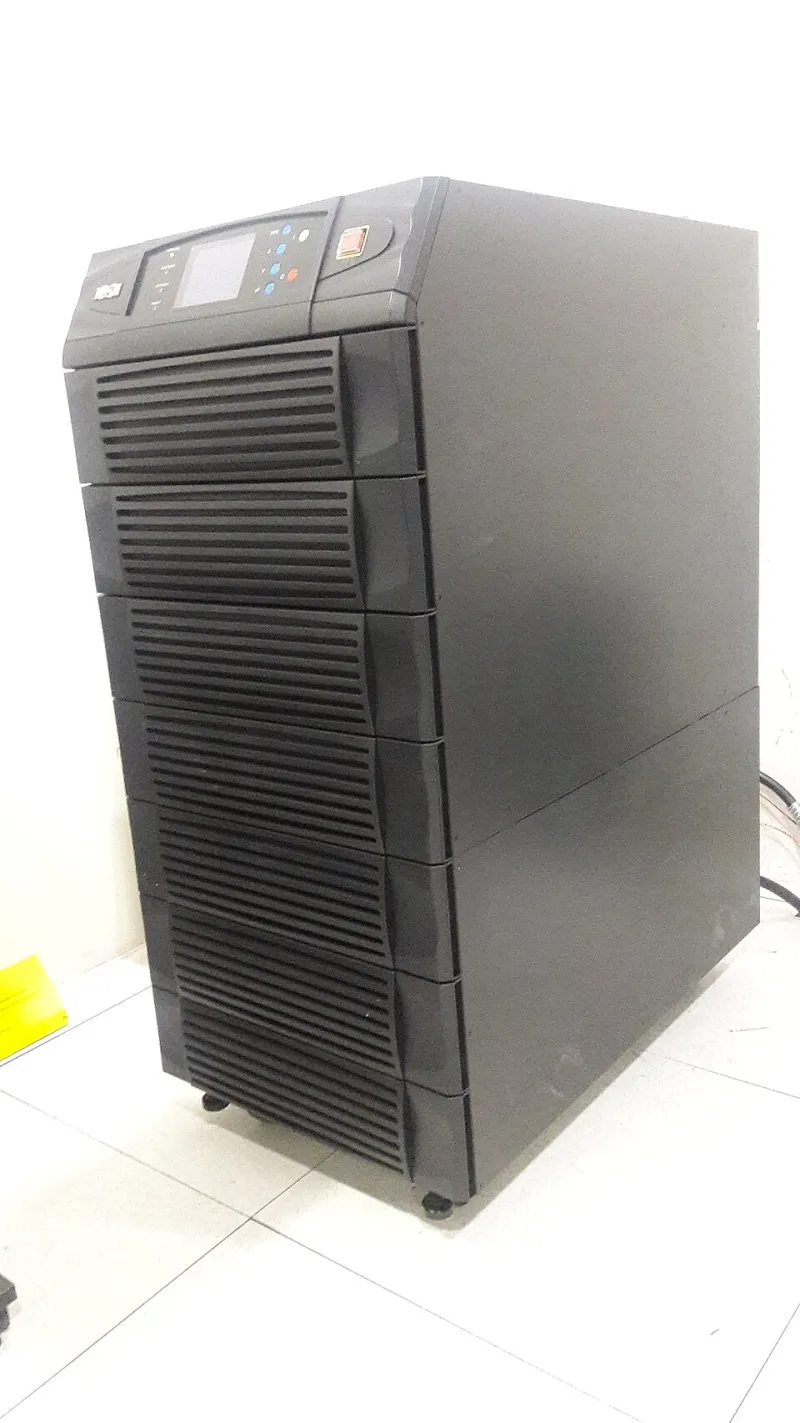
Photo: Tahir mq, CC BY-SA 4.0, via Wikimedia Commons
The first time it happened, I thought the cat had stepped on something. The monitor blinked, the fan on the Mac mini hit a note it usually only reaches at the end of a 4K export, and Resolve threw up a dialog that said something about an unexpected shutdown. Six minutes of color work on a client project, gone, along with whatever autosave hadn't caught. The second time it happened I was in the kitchen making coffee, and I came back to a black screen and a very warm external SSD.
That's the thing about power protection in a home edit bay: nothing about the gear is impressive. There's no demo reel, no spec bragging, no YouTube thumbnail of a UPS with a laser background. But your entire project — the timeline, the media, the tax paperwork for the LLC you finally filed — lives on a desk that's plugged into the same circuit as a space heater your partner insists is "barely on." So I spent a week testing three units in the $100–$140 range to find out what they genuinely save.
The Test Bench, Such As It Is
My setup is aggressively normal for an indie editor in 2026: an M-series Mac mini, two bus-powered external SSDs (one for media, one for project files and cache), a 27-inch 4K monitor, and a USB-C hub that I've already complained about in a previous piece. Under a real Resolve export — 4K ProRes 422 HQ out of a ten-minute timeline with a couple of noise reduction nodes — the whole desk pulls about 95 to 120 watts at the wall, measured with a Kill-A-Watt. Idle it's closer to 35.
That number matters more than anything on the box. Most budget UPS units are sold by VA, not watts, and the two aren't the same thing. A 600VA unit is usually rated around 360W, because the power factor on these things sits near 0.6. Buy by VA and you'll either overspend on capacity you don't need or, worse, buy a 350VA unit that trips the moment your export ramps up.
Three Units, One Breaker Switch
I tested an APC Back-UPS 600VA (simulated sine wave), a CyberPower 1000VA with pure sine wave output, and a Tripp Lite 900VA that sits in between on price and features. All three are readily available at B&H or Best Buy, all three are 120V NEMA 5-15, and none of them cost more than a mediocre lens filter.
Under the Resolve export load, the simulated-sine APC gave me roughly 11 minutes of runtime before the Mac mini shut itself down — and it did shut down, hard, because I hadn't yet configured USB auto-shutdown. The CyberPower, rated higher, gave me 19 minutes and change, and the Tripp Lite landed around 15. Those numbers won't match your setup, but the ranking will: capacity in watts is the whole ballgame, and pure sine wave buys you headroom, not magic.
Why Sine Wave Is Not Marketing Fluff
The Mac mini has an internal power supply with active power factor correction. Active PFC supplies tend to be picky about input waveform, and a simulated sine wave — basically a stepped square wave that approximates a sine curve — can cause them to buzz, derate, or in rare cases refuse to run on battery at all. I didn't get a refusal, but the APC did produce an audible harmonic whine from the Mac's PSU while on battery that I've never heard otherwise. That's not a failure; it's a warning sign.
For a single Mac mini and some SSDs, simulated sine is probably fine. If you're running a desktop tower with a full ATX supply, or anything with a motor on the same circuit, spend the extra $30 and get pure sine. It's the least glamorous upgrade in filmmaking, and it's the one that keeps your RAID enclosure from clicking off mid-export.
USB Auto-Shutdown Is the Actual Feature
Here's the part nobody talks about in the product listing: a UPS without USB shutdown is just a battery with extra steps. The point isn't to keep editing through a blackout — you can't, the internet's down and your client is emailing — it's to give the machine enough time to close Resolve cleanly, flush the cache, and unmount external drives.
All three units I tested had a USB data port. Only two shipped with software that worked reliably on macOS in 2026 without a driver side-quest. Set the shutdown timer to trigger at around 20 percent remaining battery, test it by actually pulling the plug during a small export, and confirm that the shutdown dialog appears. A UPS you've never tested is a UPS you don't own.
Sizing It Without the Marketing Math
Add up the watts of everything downstream: Mac mini (50W under load), monitor (30W), two SSDs (10W combined), hub and accessories (5W). Call it 100W, round to 150 for safety, and then look at the wattage rating on the UPS — not the VA. A UPS rated at 360W will run that load for roughly 12 to 18 minutes depending on battery age and chemistry, which is plenty of time for a clean shutdown.
If you're running a Mac Studio with a RAID array and a calibrated reference monitor, double it. If you're running a laptop, honestly, skip this whole article — your laptop already has a battery, and a $40 surge strip covers the rest.
When a Surge Strip Is Genuinely Enough
I want to be fair to the $40 power strip with the little green light. If your editing rig is a laptop, your media lives on a cloud-synced drive, and your monitor is a $200 panel you bought on sale, a surge protector is the correct purchase. Surges and spikes are the things that kill electronics; outages are the things that kill work. A laptop has already solved the outage problem.
Where the strip fails is the moment you add a desktop, a NAS, or a second monitor. Those don't have batteries, and a brownout — that low-voltage sag that makes lights dim for half a second — can be nastier than a full outage because the PSU keeps trying to run at a voltage it can't quite use.
After the Lights Come Back
Recovery is its own workflow. When power returns, don't just relaunch Resolve and hit play. Boot the machine, let the SSDs mount and stay idle for a full minute, then open your project and check the autosave list before touching the working file. Resolve's project backups live in a separate database, and they're usually the version you want. Verify your media by spot-checking three or four clips for playback glitches — corrupted frames from an unclean unmount tend to show up as single stuttering moments, not obvious errors.
Then, and only then, plug the UPS back into the wall, let it recharge to full, and run a self-test. Batteries in budget units are good for three to five years, and a UPS that's been cycling hard during brownout season will age faster than the spec sheet suggests.
The $120 I spent on the CyberPower didn't feel like gear. It felt like a chore. But it's the only piece of equipment on my desk that's ever going to save a project I can't reshoot, and that's a strange and quietly excellent thing to be able to say about a beige box under the desk.