The Upload Tax: Cloud Editing's Real Bill for Indie Filmmakers in 2026
Cloud editing has a great pitch: your editor is in another city, your client is in another time zone, and everyone opens the same timeline without shipping drives. For indie crews, though, the cloud is not a location. It is a pipeline with a meter running. In 2026, the tools are better than they were a few years ago, but the fundamental math has not changed: 4K footage is heavy, upload speeds are asymmetric, and collaboration platforms charge for the convenience of holding your media.
The pitch versus the pipe
Start with a normal shooting day. A 256GB card is not exotic for 4K 10-bit footage. At a theoretical 30 Mbps upload speed, that card takes about 19 hours to move. At 100 Mbps, it is still close to six hours before overhead, retries, and checksum verification. Many US cable and fixed wireless plans still have upload ceilings well below their download numbers. If you shoot three cards in a weekend, you are not just paying for storage. You are paying in calendar time.
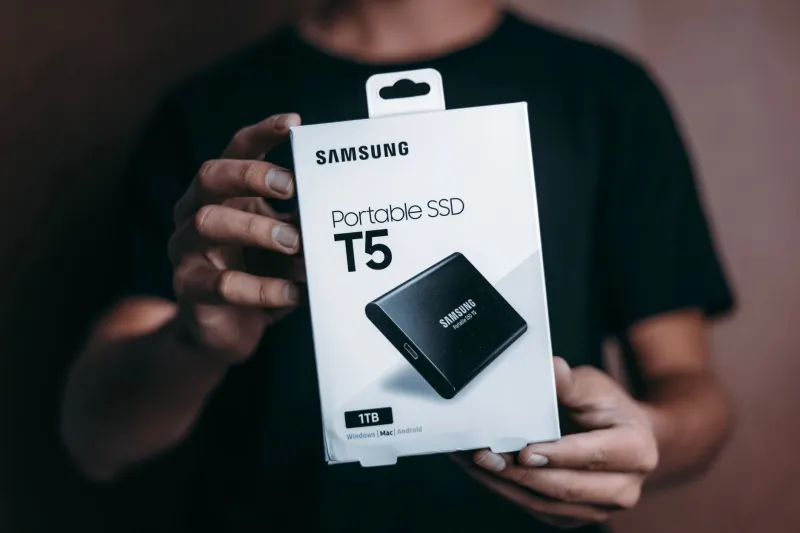
That is the first hidden cost. Local NVMe drives copy a 256GB card in minutes, not hours. A $150 2TB NVMe drive and a $20 card reader can move a day of dailies while you eat lunch. The cloud can do many things, but it cannot beat a local bus when the clock is running.
Where the money actually goes
The subscription price is only the entry fee. A typical small-crew cloud setup has three cost centers:
- Seats: Review and collaboration platforms often charge per editor or per reviewer. Three seats at $20 per month is $60 before you store a single frame.
- Storage: Media storage tiers vary widely, but $10 to $20 per terabyte per month is a common range. A two-month project with 4TB of dailies and proxies can easily add $80 to $160.
- Egress: This is the line item that surprises people. Some object-storage-backed workflows charge when media leaves the platform. Downloading masters, conforming locally, or making a second backup can trigger fees. At $0.05 to $0.12 per GB, a few hundred gigabytes here and there adds up fast.
Put those together and a modest project can run $150 to $250 per month. That is not outrageous for a commercial job with a client footing the bill. It is a different story on a $2,000 short film where every dollar is coming out of the director's pocket.
The hidden time tax
The bill is not only in dollars. Cloud editing adds a workflow tax at every step: uploading, verifying, generating proxies, relinking, and re-uploading when someone notices a missing clip. A single mislabeled folder can mean another 90GB upload. Version control gets murky when two people rename the same sequence. The platform may say the media is available, but the editor still has to confirm that the proxy matches the original, that the audio sync survived, and that the correct LUT came along for the ride.
Local SSD workflows have their own annoyances, but they are mostly physical: label the drive, hand it off, make a second copy. The time tax is visible. Cloud time tax hides inside progress bars and support tickets.
Latency is a budget line too
Cloud editing is often not really editing from the cloud. It is editing from a cache. If the cache is warm and the proxies are small, scrubbing can feel fine. If the editor jumps to an uncaught section of a 4K timeline, the experience turns into a spinning beach ball. Real-time remote editing depends on a chain of upload speed, platform cache, local internet, and proxy settings. Any weak link shows up in the edit.
That is why serious hybrid workflows upload 1080p H.264 proxies, not 4K dailies. Proxies are for cutting. Masters stay local or in cold storage. When the cut locks, you conform against the originals on a fast local drive. The cloud is a review and collaboration layer, not a replacement for local media management.
A practical decision framework
Use cloud editing when most of these are true:
- Your editor, director, or client is genuinely remote and cannot receive a drive.
- The project has a client review budget or a producer who will pay the storage and egress bill.
- Footage volume is manageable, or you can work from proxies for most of the edit.
- You need timestamped comments and approval history more than you need raw timeline speed.
- You have a reliable upload connection and a local backup of every original.
Skip cloud editing when most of these are true:
- Everyone is in the same city and a drive handoff takes less time than an upload.
- You are cutting RAW, high-bitrate 4K, or multi-cam footage with tight turnaround.
- Your upload speed is slow or inconsistent.
- The budget cannot absorb monthly storage and egress fees.
- You do not have a second local backup outside the cloud platform.
The hybrid workflow that usually wins
For most indie crews, the answer is not all-cloud or all-local. It is a split workflow. Keep camera originals on two local drives. Generate proxies. Upload only the proxies and the project file to the cloud for review and remote cutting. Let comments live in the platform, but conform and finish on a local machine with the masters attached. Archive the final project and the original media to a second drive that goes in a drawer, not in a subscription tier.
The cloud is excellent at replacing FedEx, email threads, and confusing review links. It is less excellent at replacing a fast SSD when you have 4K dailies and a deadline. Treat upload bandwidth as a production cost, treat egress as a real bill, and the mirage gets a lot easier to see.