The Cable Drawer Is a Liability: A USB-C Power, Data, and Display Shakedown for Indie Rigs
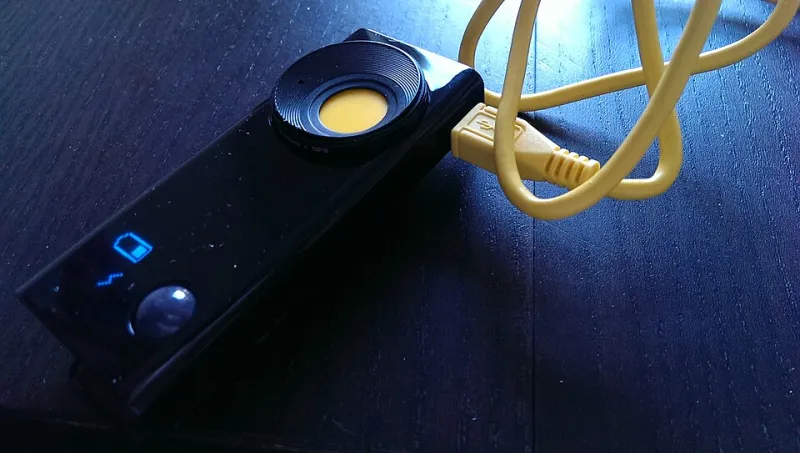
Photo: whatleydude from London, United Kingdom, CC BY 2.0, via Wikimedia Commons
The failure wasn't dramatic. No sparks, no error message, no helpful little icon. The camera just powered down halfway through a take, the monitor went black, and the director asked if we had accidentally unplugged something. We hadn't. We had grabbed a black USB-C cable from the drawer because it was the right length, and that cable was a charge-only cable that negotiated a lazy 5V/2A and had no interest in data or display. That was the day the cable drawer became a production liability.
USB-C Is a Port, Not a Promise
The USB-C connector is a shape. It is not a guarantee of wattage, data speed, or video output. Two cables can look identical — same molded ends, same braided jacket, same suspiciously optimistic Amazon listing — and behave like completely different products. One may carry 100 watts and 10Gbps data. Another may carry enough power to wake a phone and nothing else.
The spec details matter because indie rigs ask one cable to do three jobs that use different internal lanes: power delivery, data transfer, and DisplayPort alt-mode for video. A cable can be excellent at one and useless at the others. That is why the $9 cable from the big-box store and the $45 cable from the camera shop are not interchangeable, even if both click into the same port.
The Three Jobs on a Run-and-Gun Rig
On a typical small-crew setup, USB-C is doing at least three things at once. It is powering a mirrorless body through USB-C PD, feeding a 7-inch on-camera monitor over DisplayPort alt-mode, and moving footage from a card reader or hub to a portable SSD. Each job has its own failure mode.
Power failures look like a camera that boots and then shuts down under load, or a monitor that flickers when the SSD spins up. Data failures look like an offload that crawls at 40 MB/s when you expected 800 MB/s. Display failures look like a monitor that charges fine but never receives a signal. Same connector, three different problems.
Field Test: One Drawer, Four Cables, Three Failures
We set up a simple test on a folding table in a parking garage — about as glamorous as indie filmmaking gets. The rig was a mirrorless camera powered by a 65W GaN brick, a 7-inch monitor fed over USB-C, and a 1TB portable SSD doing an offload through a compact 6-in-1 hub. We grabbed four cables from the drawer: a $9 charge cable, a $19 cable labeled "100W," a $29 cable labeled "10Gbps," and a $45 Thunderbolt-rated cable.
The charge cable powered the camera but gave the monitor no signal. The "100W" cable negotiated power fine, but its data transfer was USB 2.0 slow — roughly 40 MB/s in our copy test — so the SSD offload was a nonstarter. The 10Gbps cable moved data well and powered the camera, but it did not carry DisplayPort alt-mode, so the monitor stayed black. The Thunderbolt-rated cable did all three jobs, but once we ran monitor output and SSD offload through the same compact hub, the SSD stalled during a large file copy.
That last result is the one worth taping to the inside of your cable case. The cable was fine. The hub was the bottleneck.
Wattage Is Not Throughput, and Neither Is Display
A USB-C power meter is the cheapest piece of mind in this entire category. It shows you the voltage and current being negotiated, so you can stop guessing whether a cable is actually delivering the wattage your camera or monitor wants. A cable rated for 100W does not force 100W into a device; the device draws what it needs. But the cable has to be built for the current, and past a certain point it needs an e-marker chip to tell the charger what it can handle.
Data speed is a separate conversation. A cable can be rated for high wattage and still be USB 2.0 for data. That is not a defect; it is a design choice. For SSD offloads, you want a cable explicitly rated for USB 3.2 Gen 2 or better. For monitor output, you need DisplayPort alt-mode support. Those are different checkboxes, and a lot of off-the-shelf cables check only one.
The Hub Is a Shared Pipe
Compact hubs are convenient, and they are also where good cables go to argue with each other. A hub splits power and data across multiple ports, and the passthrough wattage is rarely the full number on the box. A 100W input may pass through 85W after overhead. More importantly, the monitor and the SSD are sharing data lanes. If the hub is a 5Gbps model, a monitor feed plus an SSD offload can saturate the pipe and cause dropouts.
For mission-critical work, connect the SSD directly to the camera or computer when you can. Use the hub for the monitor and accessories, or for desktop convenience, not for the one offload you cannot afford to restart.
A Labeling and Check-Out Routine That Takes 20 Minutes
You do not need a lab. You need a power meter, a known-good SSD, a monitor, and a paint pen. Test each cable once, label it, and keep the losers out of the set bag.
Start by plugging each cable into a USB-C power meter and a charger to see what wattage it negotiates. Then connect it to an SSD and copy a 5GB file so you know its real data speed. Finally, connect it to a monitor and confirm the display locks at native resolution. Label the cable with the results: "PD 100W / 10G / DP" is a lot more useful than "USB-C 2m."
Build a known-good pouch and keep it separate from the charging drawer. At check-out, run a 10-minute test: camera powers on and stays on, monitor locks, and the SSD writes a 10GB file while the monitor is running. If something fails, swap the cable before you blame the camera. Nine times out of ten, the cable is the cheap variable.
What Actually Fixed Our Rig
We stopped buying cables by length and started buying by spec. Two 10Gbps, 100W-rated USB-C cables for data and power. One short DisplayPort alt-mode cable for the monitor. A $25 power meter. A paint pen. The compact hub stayed in the desk drawer where it belongs. The whole kit was under $120, which is less than the cost of a reshoot — and far less than the cost of explaining to a client why the take is gone.
The Takeaway
USB-C cables are gear. Treat them like gear. Test them, label them, and keep a known-good set away from the drawer of mystery cables. The $12 cable can absolutely cost you a take. A 20-minute audit is the cheapest insurance in the bag.